

Reference

hm66 App — Your Lobby on Every Screen

The hm66 mobile experience opens the full lobby — slots, live tables, crash games and cricket betting — straight from your phone browser, no extra download required.

Mobile browser accessDevice-ready lobbyAvailability check at hm66Pakistan account supportNo forced download
hm66 hm66 App — Your Lobby on Every Screen

Four Things the hm66 Mobile Build Does Well

The mobile interface is shaped around how Pakistan players actually move through the lobby — fast login, clear layout and real-time updates without slowing down your connection.

Fingerprint Login

Biometric entry replaces password typing on supported Android and iOS devices, so you are back in the lobby in under two seconds from your lock screen.

Push Notifications

Live match alerts and table-opening notices reach you even when you are not in the app, so you never miss a PSL market or a live dealer seat opening.

Dark Mode Layout

The interface switches to a dark palette automatically at night, cutting screen glare whether you are playing Aviator at home or checking a Football Express Bet score on the go.

Lobby Preview Offline

Game tiles and category menus cache locally, so you can browse the slot lobby and check live table schedules even when your connection briefly drops.

hm66 Mobile Access in 3 Steps

Mobile Access in 3 Steps

Getting into the hm66 lobby from your phone does not need an app store visit. Your mobile browser handles the full experience — live tables stream cleanly, slots load without lag, and the betslip stays pinned at the bottom of your screen during a cricket match. Players in Karachi and Lahore use this same browser path daily. If a native app build

becomes available for Android or iOS, the download link appears on the hm66 homepage — no third-party source needed. Follow these steps to get started right now.

  • Open hm66 in Your Browser — Type hm66 into Chrome, Safari or any modern mobile browser. The site detects your screen size and loads the mobile layout automatically.
  • Check the App Download Section — Scroll to the footer or look for the app banner on the homepage. If a verified app build is currently available, the link is there — do not download from any other source.
  • Sign In with Biometric or OTP — Log into your account using your password plus the OTP sent to your registered number, then enable fingerprint login from account settings for faster re-entry.
  • Add to Home Screen — Use your browser's share menu to add hm66 to your phone's home screen. It opens like an app icon and skips the browser address bar entirely.
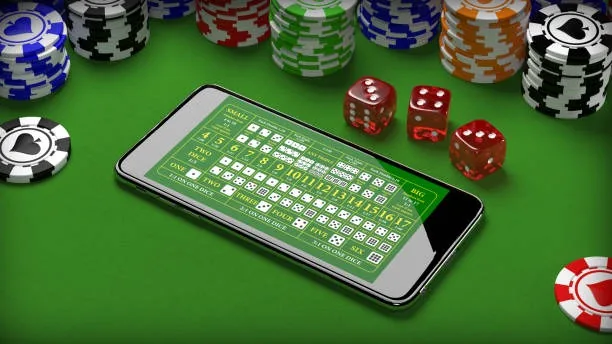
DEVICE CHECK LIST

Which Devices Work with hm66 Mobile

hm66 mobile access is built around the browser, so compatibility is wider than a single native app. Check these points before you start to make sure your session runs without interruption.

01

Browser Requirement

Chrome and Safari on current versions handle the full lobby without issues. Older browser builds may miss live-table streaming — update your browser if video stutters.

02

Screen and Layout

The lobby adapts from small Android handsets to large tablets. Portrait mode works for slots and crash games; landscape mode gives a wider live-table view.

03

Account Eligibility

Access depends on local law and is available where local law permits. Confirm your region is supported by checking the eligibility notice on the hm66 account registration page.

04

Wallet Linking on Mobile

JazzCash and Easypaisa wallet links set up inside the mobile account screen work the same way as on desktop — enter your wallet number once and it stays saved.

05

Currently Supported Devices

For the latest list of verified devices and operating system versions, check the device support section under Help on hm66 — this list updates when new builds are confirmed.

hm66 What the hm66 Mobile Lobby Delivers

What the hm66 Mobile Lobby Delivers

Open hm66 on your phone and the lobby reorganises itself for your screen — live baccarat tables from Evolution, Aviator crash rounds, and PSL-season cricket markets all sit in the same place, reachable with one tap. Quick-deposit shortcuts sit near the top of the account screen, so funding your wallet through JazzCash or Easypaisa takes seconds rather than a detour through menus.

Push notifications flag live match updates and table openings when you are not actively browsing. Fingerprint login keeps your account entry fast without typing a password every time you return to the app. That is the mobile path hm66 is built around.

hm66 App — Common Questions

These are the questions we hear most from Pakistan players who want to use hm66 on their phones. Short, direct answers — no padding.

Whether a native app build is currently available is shown on the hm66 homepage. If no link appears there, the mobile browser version covers the full lobby including live tables and sports betting.

Yes. Open the deposit screen in your account, select JazzCash, enter the amount, and confirm with your wallet PIN. The account balance updates once the transfer clears on the JazzCash network.

Fingerprint login is available on supported Android and iOS devices when you enable it under account security settings. It works on Chrome and Safari without needing a separate app installed.

If you add hm66 to your home screen and allow notifications in your browser settings, live match alerts and table updates arrive as push messages on your lock screen.

The lobby preview caches locally so you can see game tiles while offline. Active Aviator rounds reconnect automatically when your signal returns — your round status is server-side and is not lost.

Access depends on local law and is available where local law permits. Check the eligibility notice on the hm66 registration page to confirm your region qualifies before creating an account.
Reference

hm66 App

Service availability depends on eligible regions and local law. Users should check local rules before opening an account.

Access may be available only where local law permits.